
Free planBestTrack feature article
Custom checkpoint email notification
Tell customers when an order reaches the first enabled custom pre-shipment step — once per order.
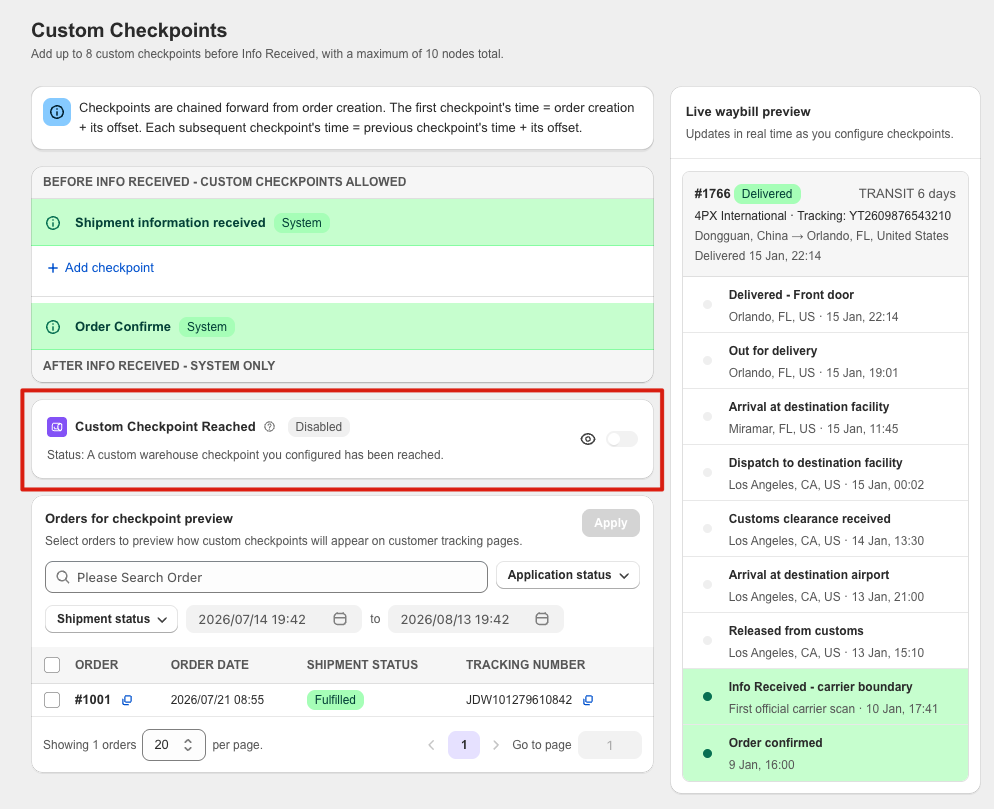
What this feature does
- The Email Notification switch is off by default and is linked to Notification → Custom Checkpoint Reached.
- When enabled, BestTrack is designed to send an email when the earliest enabled custom checkpoint is reached.
- Only one checkpoint email is designed to be sent per order; later custom checkpoints do not trigger another email.
- After the first email is sent, reordering or deleting checkpoints does not cause another send.
- The preview shows the checkpoint name and configured time; live sends replace order, customer and store variables with actual data.
- The Order Track button opens the store tracking page, where the customer can query the shipment with the tracking number.
- Checkpoint emails are included on Free and send automatically when an eligible order reaches the first enabled custom checkpoint.