If you help Shopify merchants with store operations, you can recommend BestTrack or BestUpsell through Shoffi and manage attribution and payouts in one place.
Current program terms: $5 per install for a valid Shopify store; 30% recurring commission after Shopify fees; a 12-month commission period; and a 30-day attribution window. Confirm the terms shown on the Shoffi program page before applying.
The one-minute overview
- Open the Shoffi invitation link and apply to become an affiliate.
- After approval, sign in to Shoffi and copy your unique referral link.
- Share the link with Shopify merchants through your client, community, or content channels.
- Review referrals and earnings in Shoffi, then request a payout when your balance reaches the minimum.
| Product | Affiliate sign-up | Use |
|---|---|---|
| BestTrack | Join BestTrack | Apply to promote BestTrack. |
| BestUpsell | Join BestUpsell | Apply to promote BestUpsell. |
1. Register as an affiliate
Before you start, prepare a frequently used email address, a PayPal account for receiving payouts, and an English promotional nickname. Your nickname is shown to partners, so a name or business name such as Alex-Shopify-Service works well.
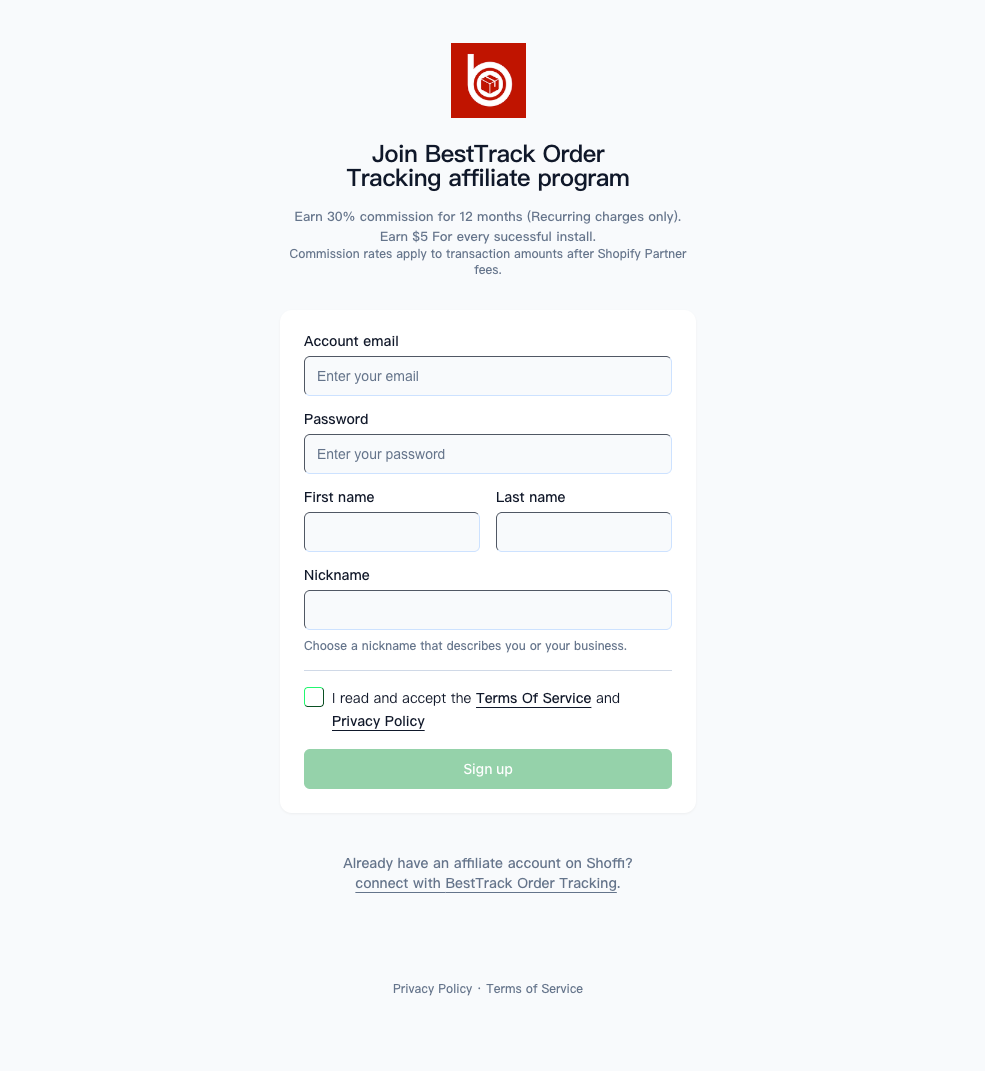
For BestTrack, open the official invitation link. The registration page is expected to be titled “Join BestTrack Order Tracking affiliate program” and displays the program terms.
- Enter your account email and create a password.
- Enter your first name and last name.
- Choose the nickname that will be shown publicly.
- Accept the Terms of Service and Privacy Policy, then click Sign up.
- Wait for the BestTrack team to review your application. BestTrack may not appear under Connections until approval is complete.
2. Get your unique referral link
- Sign in at platform.shoffi.app.
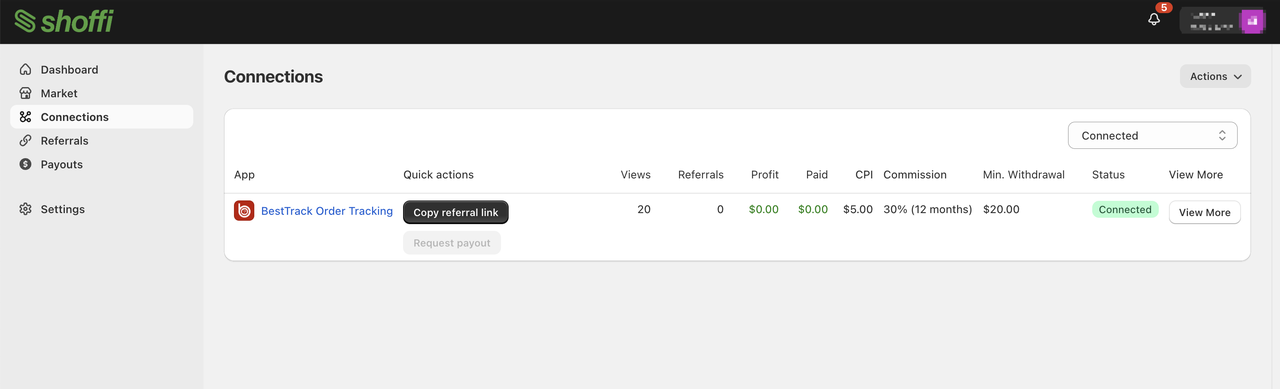
- Open Connections and confirm that BestTrack is listed.
- In the BestTrack row, open the actions menu and select Copy referral link. A link usually looks like
https://platform.shoffi.app/r/rl_xxxxxxxx.
Keep the link unchanged. Do not copy another affiliate’s link, share your own link for someone else to use, or manually remove and append parameters. If the link does not open, confirm the current invitation or referral link with your contact.
3. Promote and understand attribution
When a merchant clicks your referral link, the referral is normally attributed to you if the merchant completes an installation or subscription within 30 days on the same device. Attribution can be lost after the window expires or when the merchant changes device, browser, or environment. The Shoffi record is the final source of truth.
| Promotion channel | Suggested approach |
|---|---|
| Existing Shopify clients | Send your link and explain that BestTrack’s free plan includes 300 orders per month and can reduce “Where is my order?” support questions. |
| International social media and online communities | Add a short reason to try it and highlight that the free plan can be installed without extra cost. |
| Blogs, YouTube, and TikTok | Create an installation guide or review and place your referral link in the description. |
| Agency, store-building, or operations work | With the merchant’s consent, guide the merchant to install through your link. |
4. Understand earnings
| Earning item | Standard | How it is calculated |
|---|---|---|
| Install reward | $5 per qualifying install | BestTrack or BestUpsell is installed through your link on a valid Shopify store. Free-plan installs count. |
| Recurring commission | 30% | 30% of each eligible recurring payment after Shopify fees. |
| Commission period | 12 months | Eligible renewals count for 12 consecutive months from the merchant’s first payment. |
For a simple estimate, if a merchant stays on a $9/month Pro plan for 12 months, the install reward is $5 and recurring commission is approximately $9 × 30% × 12 = $32, for about $37 total. Actual earnings depend on the plan, amount paid, Shopify fees, refunds, and subscription status.
5. Check earnings and request a payout
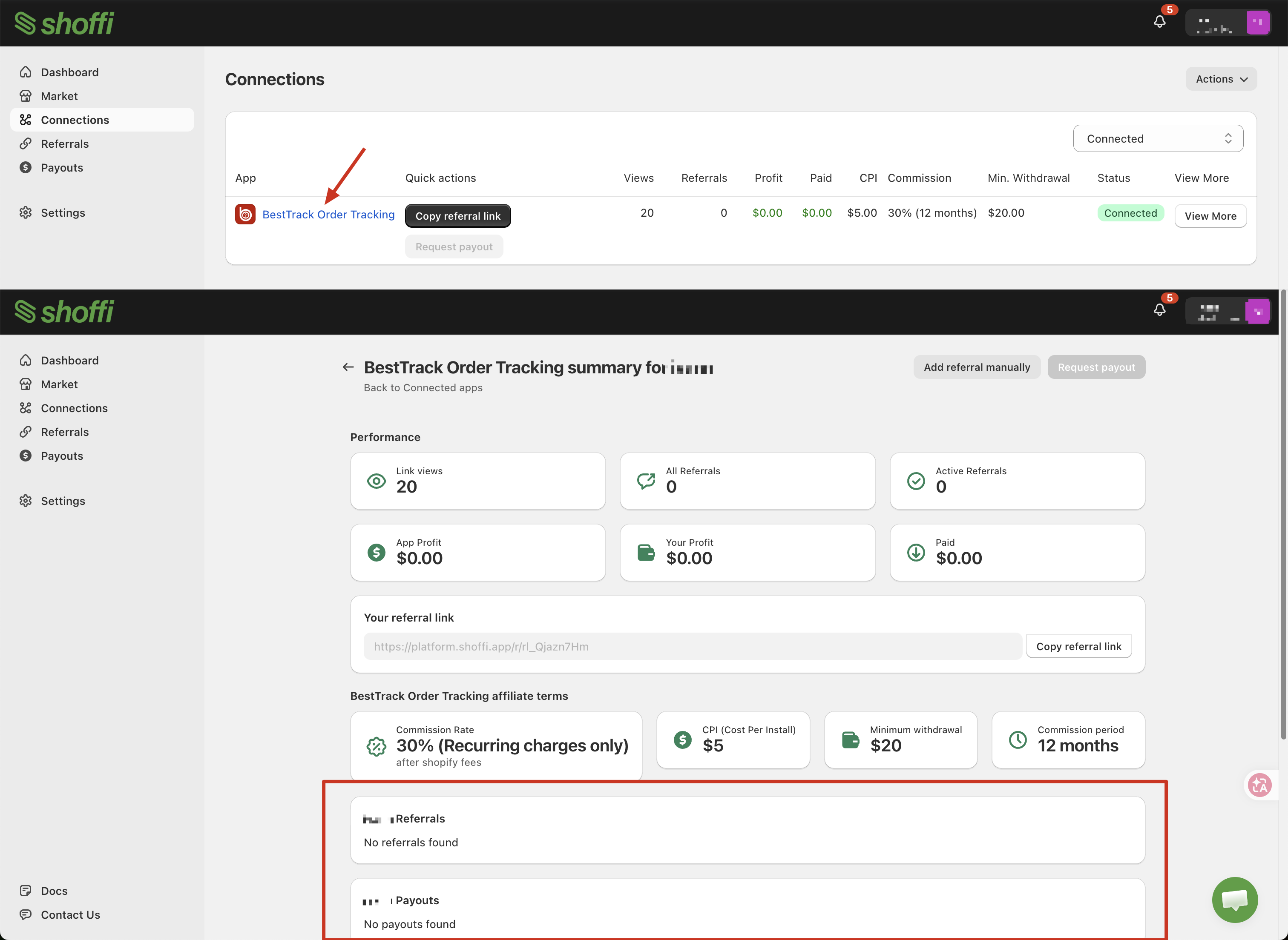
Open the BestTrack connection details in Shoffi to review attributed merchants, installs, commission amounts, and settlement status. When your balance reaches $20, the Connections page may allow you to click Request payment.
- Confirm that your balance has reached the withdrawal threshold.
- Click Request payment on the Connections page.
- If Shoffi asks you to attach an invoice, upload a PDF of no more than 2 MB or provide an invoice URL beginning with
https. - Payments are normally sent to PayPal. The platform rule is payment within 60 days after the request.
- After receiving the money, return to Shoffi and click Approve payment to confirm receipt.
Frequently asked questions
Does a free-plan install earn a reward?
Yes. A successful install can earn the install reward. The 30% recurring commission starts only after the merchant begins a paid subscription.
What amount is used for recurring commission?
Eligible recurring commission is calculated as the merchant’s paid subscription amount after Shopify fees, multiplied by 30%, for up to 12 months from the first payment.
What if the merchant installs several weeks after clicking?
It is normally attributed to you when the install or subscription happens within 30 days on the same device. After 30 days, it is normally not attributed.
Can I install through my own link on my own or test store?
Do not assume that these installs are eligible. Confirm with the program contact before doing so.
What if I do not have PayPal?
Create a PayPal account before requesting a payout. Wise or bank transfer arrangements need to be agreed separately and are not guaranteed.
Where can I get promotional assets?
Ask the program contact for logos, screenshots, and product talking points.
Ready to apply?
Choose the product you want to promote and apply through its Shoffi invitation link.