BestFeed AI is live — review and improve product content for AI discovery.Explore BestFeed →
首页/应用/SonarFulfill
SonarFulfill app logo
SonarFulfillProduct finder for Shopify

Find products worth testing.Publish with control.

Compare product cost, rating, and delivery signals, edit your listing and margins, then publish the products you approve directly to Shopify.

免费安装Built for Shopify merchantsPublish only after review
Illustration of the SonarFulfill workflow from product discovery through editing to approved publishing
Filter products before adding them
$Preview your selling price
Publish approved listings to Shopify
Made for faster testing

Make the product decision before the listing work.

SonarFulfill keeps the signals merchants use to shortlist products close to the action, then moves selected items into a draft workspace instead of pushing them live immediately.

$See the cost

Compare the supplier cost before setting a retail price.

Estimate the margin

Apply a pricing multiplier and preview the sale price.

Check product signals

Use category, rating, price, and delivery filters to narrow the catalog.

Keep control

Review product content and variants before anything reaches your store.

Product workflow

From a product idea to a store-ready listing.

A clear working path for merchants who want to test products without turning every supplier find into a live Shopify listing.

01 — Find

Find products worth testing.

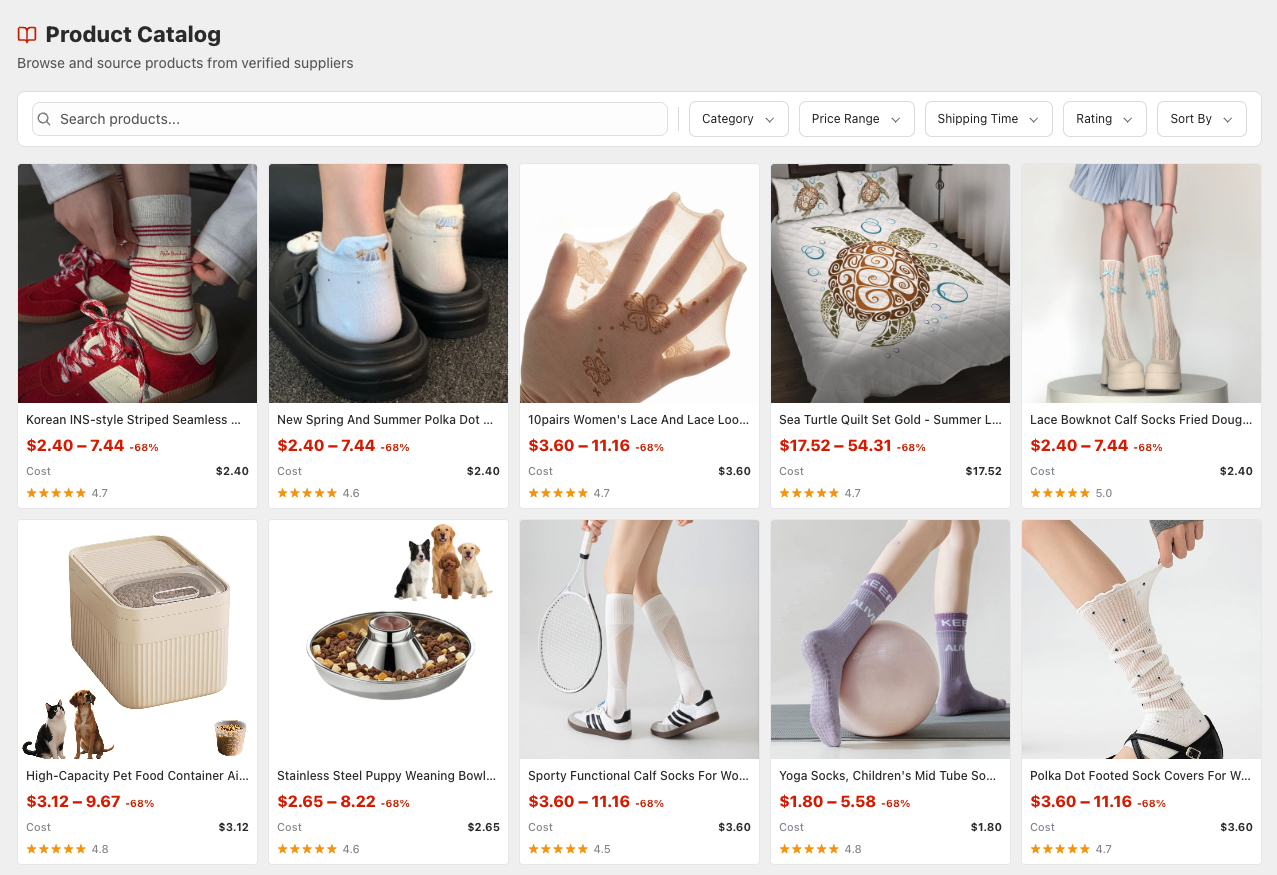
Browse the supplier catalog and narrow the options using the signals that matter before you prepare a listing.

  • Filter by category, price, shipping time, and rating
  • Compare products before committing catalog work
  • Add selected products to Product Drafts
SonarFulfill Product Catalog with product search and sourcing filters
02 — Edit

Prepare the listing before it goes live.

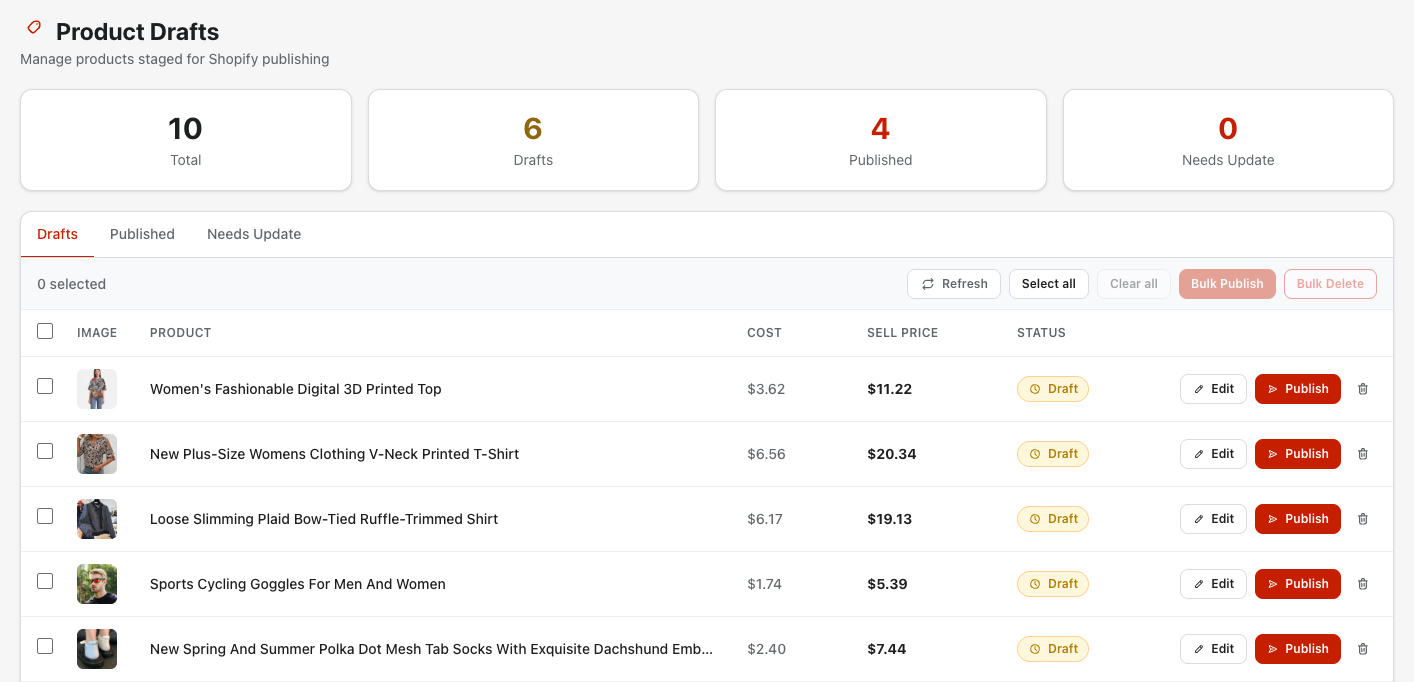
Use Product Drafts to edit customer-facing content, review the proposed price, and keep unfinished work away from the live store.

  • Edit the title, description, images, and variants
  • Review supplier cost and the proposed selling price
  • Keep the product in Draft until it is ready
SonarFulfill Product Drafts ready for content editing, pricing review, and approval
03 — Publish

Publish approved products and manage updates.

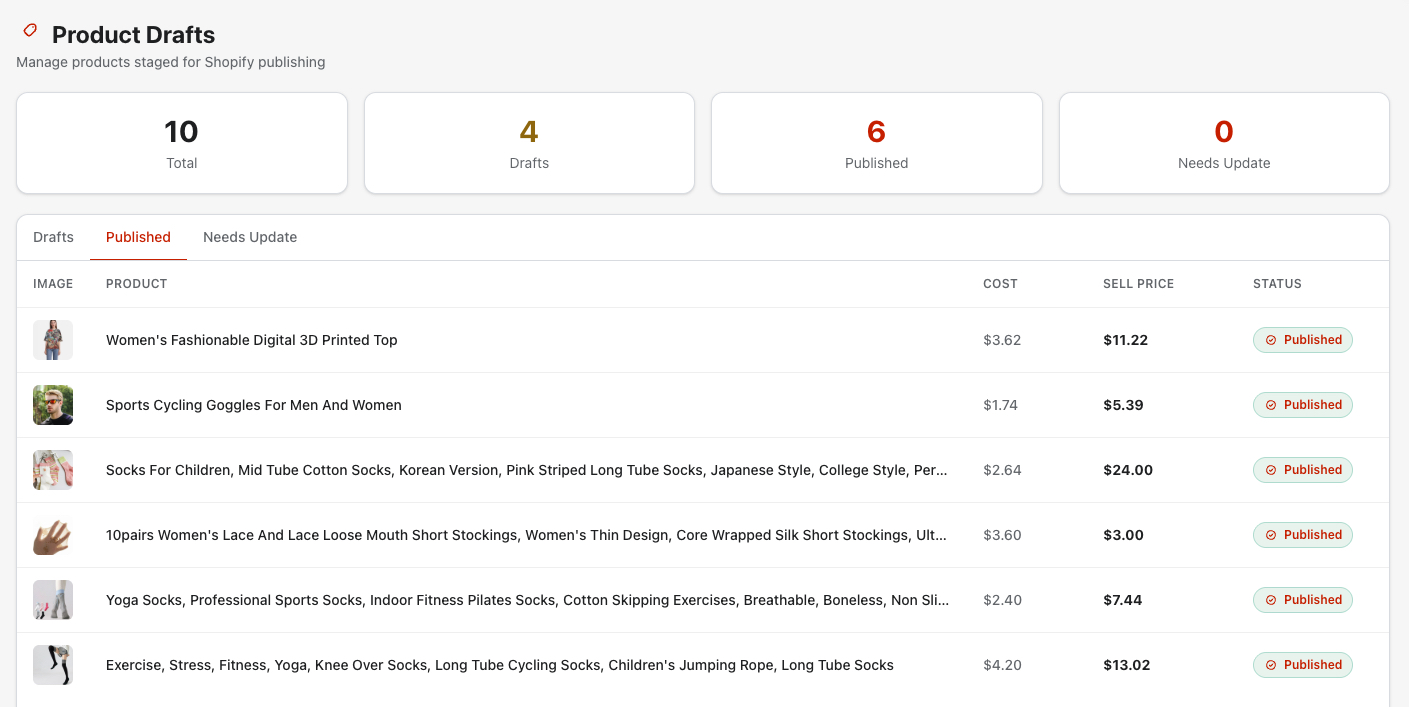
Move reviewed drafts to Shopify, then keep Published products and supplier updates clearly separated.

  • Review product content before publishing
  • Publish approved drafts to Shopify
  • Review supplier updates before applying them
SonarFulfill Published tab with live Shopify products and update indicators
When a product starts moving

Move from software to real sourcing support.

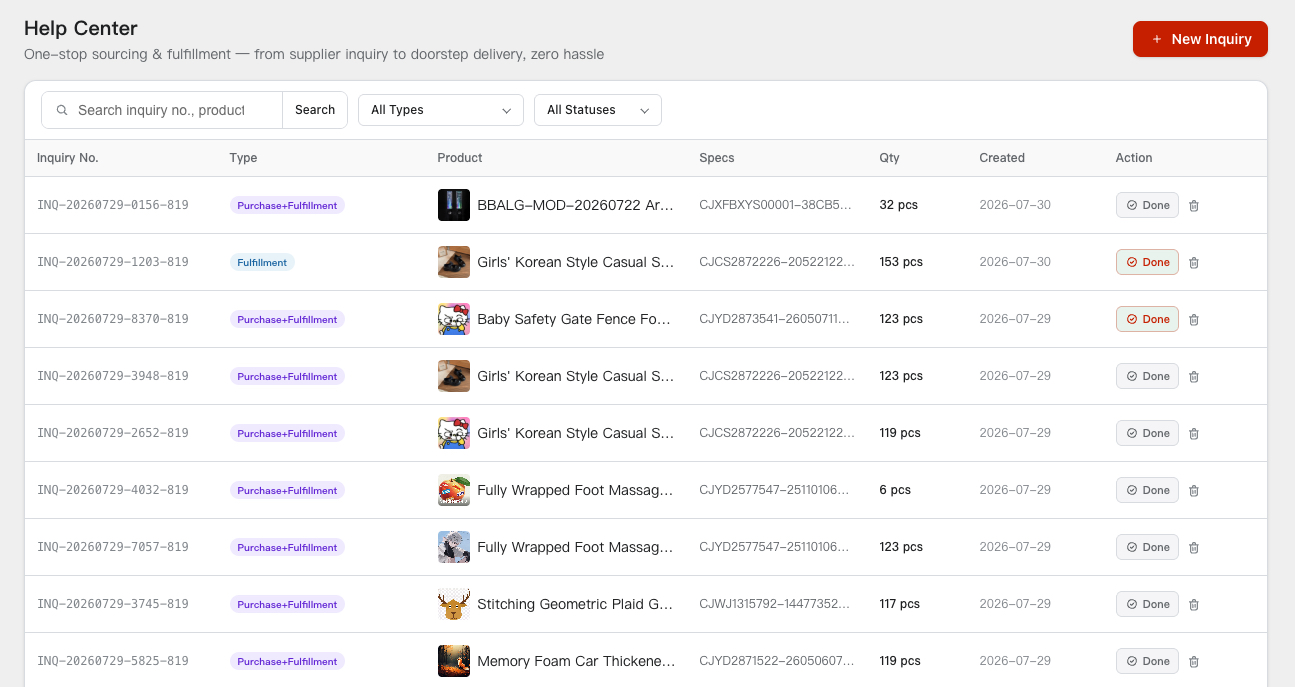
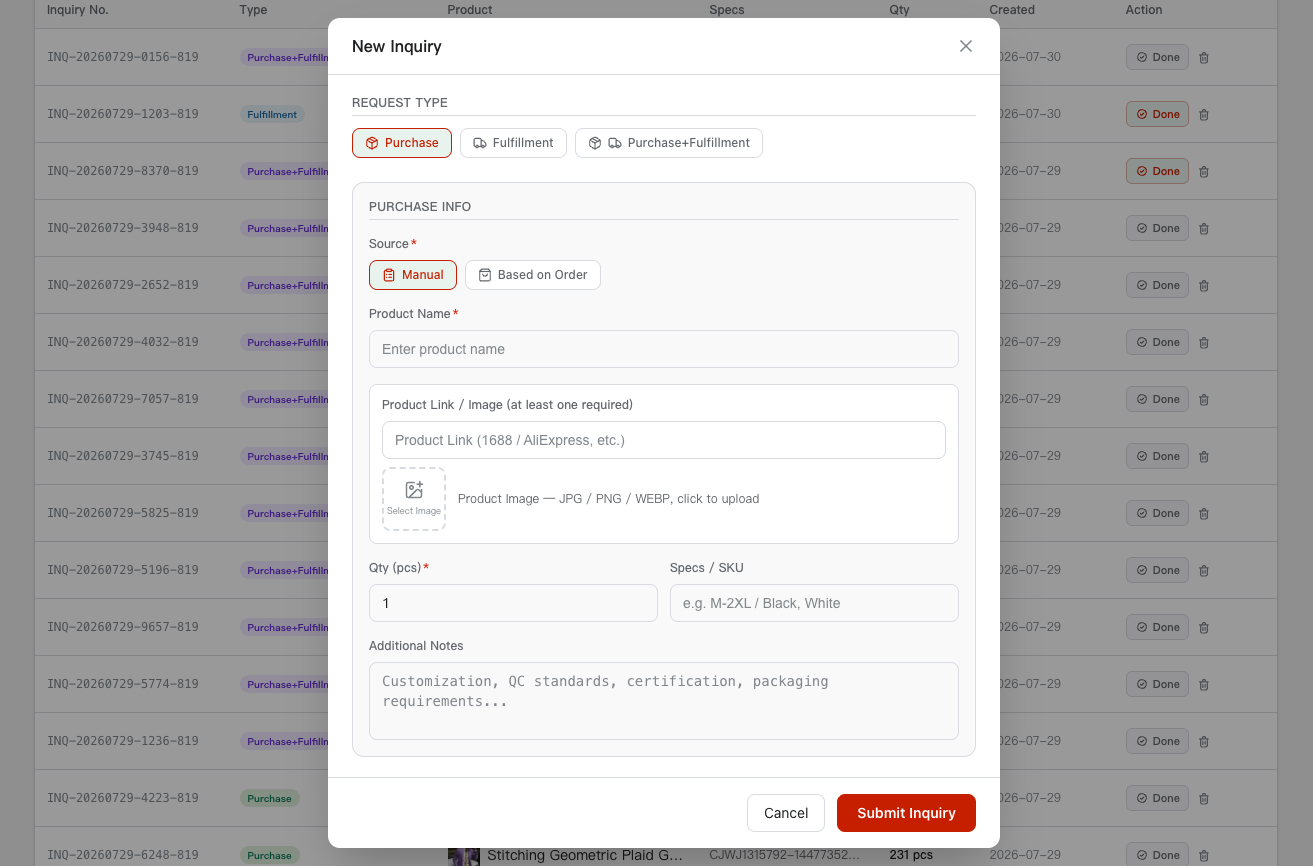
Submit a purchase, shipping, or combined inquiry from SonarFulfill. Add product details manually or start from an unfulfilled Shopify order, then keep the request in your Inquiry Center while the BestFulfill team follows up.

SonarFulfill Inquiry Center listing purchase and fulfillment requestsNew fulfillment inquiry form in SonarFulfill
How it fits together

Test first. Get help when you need it.

01

Find

Search and filter products using cost, rating, and delivery signals.

02

Prepare

Edit product content, variants, images, and your pricing rule.

03

发布

Send only approved drafts and reviewed updates to Shopify.

04

Request support

Submit sourcing or shipping needs when a product is ready to scale.

常见问题

What merchants usually want to know.

What can I do with SonarFulfill?

You can browse and filter products, add selected items to Product Drafts, edit listing details, configure margin-based pricing, and publish approved products to Shopify. You can also submit purchase and shipping inquiries when you need hands-on supply-chain support.

Is SonarFulfill free to install?

Yes. SonarFulfill is free to install from the Shopify App Store. Any sourcing, purchasing, customization, warehousing, or shipping service is quoted separately based on the request.

Does adding a product publish it immediately?

No. Selected products first enter Product Drafts, where you can review and edit the listing before choosing to publish it to Shopify.

Can I control product pricing?

Yes. SonarFulfill includes a configurable pricing multiplier and a live preview that shows how supplier cost translates into retail price.

Can I submit a request from an existing Shopify order?

Yes. For eligible unfulfilled orders, you can start an inquiry from the order so relevant product and order details are available as a starting point.

Does SonarFulfill automatically purchase and fulfill every order?

No. Publishing products and submitting inquiries are controlled actions. Purchasing and fulfillment requests are reviewed and handled through the BestFulfill service team rather than presented as an automatic, no-review workflow.

Start with the product

Find it, price it, and publish it — without losing control.

Install SonarFulfill on Shopify and move from product research to an approved listing in one workspace.